
Powerful M3U Converter Tool – Convert IPTV Playlists Instantly
Use a fast and reliable m3u converter to transform IPTV playlists into compatible formats within seconds.
This tool allows you to switch between playlist formats or generate login-based credentials quickly. It is designed to simplify IPTV configuration for both beginners and advanced users.
With a modern m3u converter, you can prepare your IPTV access in just a few clicks and enjoy smooth streaming across multiple devices without delays or technical issues.
LEMO TV
This tool is for personal use only. LEMO TV does not store your data.
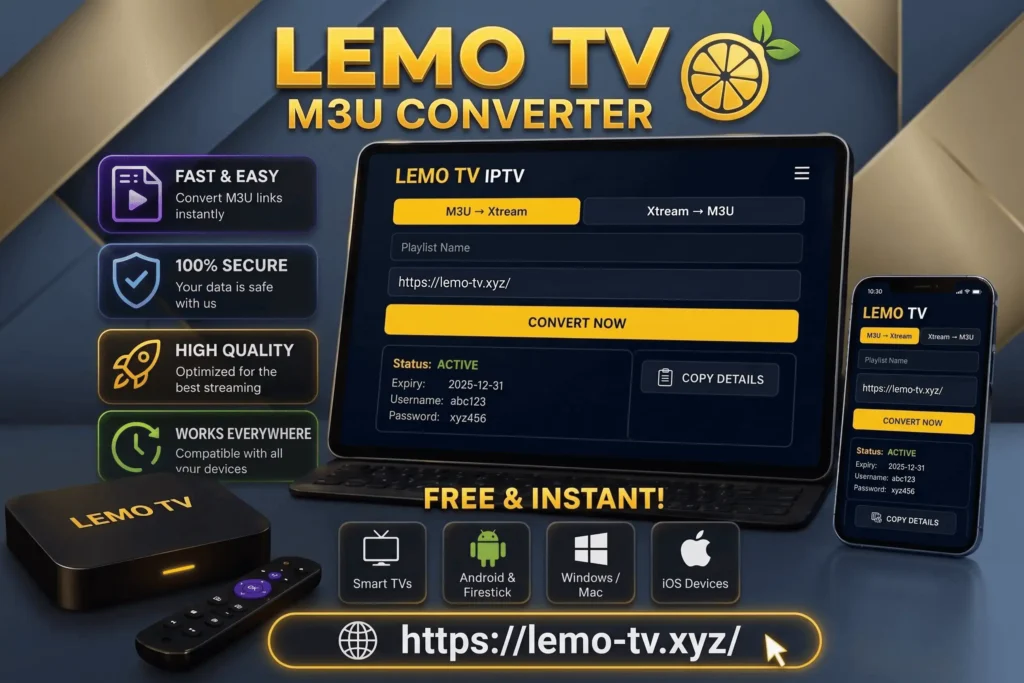
Smart IPTV Playlist Conversion Interface
Our m3u-converter offers a clean and user-friendly interface built for speed and simplicity.
You only need to paste your playlist link, choose the conversion type, and click convert. The process is instant and requires no setup.
Even if you have no technical experience, this m3u converter makes IPTV configuration simple and accessible.
Fast and Free IPTV Playlist Conversion
The m3u-converter runs entirely online, meaning no downloads or installations are required.
It processes IPTV playlists instantly and delivers results within seconds. This makes it ideal for users who want quick access without complicated steps.
Simply paste your M3U URL and convert it into a usable format immediately.
Understanding the M3U Converter Tool
An m3u-converter is an online utility that transforms IPTV playlist formats into usable streaming configurations.
It allows users to convert M3U links into Xtream login details or rebuild playlists from existing credentials.
This flexibility helps users access IPTV services more efficiently across different apps and devices.
Convert IPTV Playlists into Login Details
With an advanced m3u-converter, you can extract essential account information from your IPTV playlist.
The system processes your link and converts it into login details such as server URL, username, and password.
This allows quick integration with IPTV apps and simplifies the entire streaming setup process.
Create Playlists from Xtream Credentials
The m3u-converter also supports reverse functionality.
You can generate a complete M3U playlist using Xtream login credentials. This is useful for users who prefer working with playlists instead of account logins.
It gives you more control over how your IPTV content is managed and accessed.
Compatible Devices and Platforms
The m3u-converter supports most IPTV devices and applications.
It works on Smart TVs, Android devices, Firestick, Windows, Mac, and iOS.
This ensures seamless streaming across all major platforms.
Why Use an M3U Converter
A reliable m3u converter simplifies IPTV configuration and saves time.
It helps users manage playlists, convert formats, and improve compatibility.
This tool is essential for anyone using IPTV services regularly.
Common Questions About M3U Conversion
This section answers the most important questions related to m3u converter usage, supported formats, and device compatibility.
It helps users understand how the tool works and how to use it effectively for IPTV streaming.
An m3u converter is a tool used to convert IPTV playlists into different formats or login credentials.
It processes playlist links and transforms them into compatible IPTV formats or Xtream login details.
Yes, the m3u converter can generate playlists using Xtream credentials.
No, the m3u converter works online without downloads.
Smart TVs, Android, Firestick, iOS, Windows, and Mac devices.
Most tools offer free conversion with instant results.
Yes, as long as you use a trusted platform, your data remains secure.
Explore More IPTV Solutions
To improve your IPTV experience, check out additional tools and services.
You can explore IPTV subscription plans for flexible access, use the IPTV reseller panel to manage clients, or try IPTV lifetime plans for long-term streaming without recurring payments.